


Hope you enjoy!
Tuesday, March 31, 2009
Did you know? Technology.
November 16, 2008 - This is an amazing video about stuff we never knew.
Hope you enjoy!
Hope you enjoy!


Monday, March 30, 2009
Internet users: Beware of new malicious spam
SINGAPORE, March 30 - reported by malaysianinsider - source : Bernama
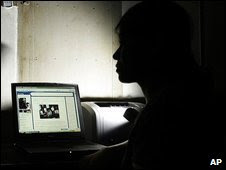 A new, large scale malicious spam, posing as an email from courier firm DHL is on the loose, warned IT security and control firm Sophos today.
 A new, large scale malicious spam, posing as an email from courier firm DHL is on the loose, warned IT security and control firm Sophos today.
It said in a statement here that internet users would receive messages that the courier company had tried to deliver a parcel to them on March 14.
"The messages also stated that they needed to print out the attached invoice which contained a zip file and bring it to the DHL office," it explained.
According to Sophos, computer users who fell for the scam and opened 'dhl_n756512.zip' would not see an invoice but actually download a malicious Trojan horse, known as Troj/Agent-JJP onto their computers, giving hackers remote access.
The emails all used the subject line, 'DHL Tracking number' but had a randomly generated reference number it said, adding that the scam was the second in the space of a week masquerading as DHL.
Wednesday, March 25, 2009
Quick Tip - do you know the MENU key?
I made a new friend today. It was there all along and I never noticed it on the right side of my keyboard between the Window Key and the Control Key. I don't even know it's true name, so I'll call it the "Menu Key". Why? Because when you press it, it opens up a drop-down menu for whatever program you're in. The menu includes all the information you would see if you right clicked, so I guess you could also call it the "Right-Click" Key.

So, next time you're typing away and need an edit menu or some other feature that you normally right-click to get, just head down to the Menu Key. Pretty soon it'll be your friend too.
~ David (worldstart.com)
Friday, March 20, 2009
Today's Feature : Safari 4
 How many of you out there use Safari as your main Web browser? Well, if you do, you might be interested to know that Apple has released Safari 4 Beta! If you don't use it now, this would be a great time to check it out. The new version packs a big punch with only a couple drawbacks. Let's check it out!
First, the new version of Safari is fast! I installed it and it loads pages faster than any other browser I've ever used. Secondly, version 4 is well laid out. The tabs have moved to the top of the screen, which is a great idea. Also, the menu bar is greatly reduced so that you have more screen available to see your favorite Web pages.
Now, there are a couple other great features, but they come with a warning. The two coolest features of Safari 4 are Cover Flow and Top Sites. Those features allow you to look at your Web sites in a whole new way! Top Sites provides you with a live view of several sites at once. You can even choose to move them to a full screen version. Cover Flow works just like Apple's iTunes to allow you to scan through sites one by one. The problem with those features is they don't work on older computers. You need to have a newer and more powerful video card to be able to use them. If your computer doesn't meet the requirements, the buttons you need to use the features will not appear.
So, if you have a new computer that meets the requirements for Safari 4, you should check it out in all its glory! If you don't, it's still a very fast Web browser, just without all the fancy thrills.
The system requirements for Safari 4 Beta can be found here. You can also download Safari 4 Beta for yourself right here. Enjoy!
~ Gary
Thursday, March 19, 2009
Worms and Viruses
VIRUS
A virus is an unwanted program that, in almost all cases, the user accidentally installs onto his or her computer. Some are relatively harmless and cause little, if any, damage. Some are much more hazardous and can render the information on your computer's hard drive useless.
So why do people make viruses?
Well, some (maybe most) do it just to see if they *can* do it. Some are genuinely looking to cause havoc. Others, and these are the ones to watch, are trying to get personal information from you. Many of the viruses out there are used to send their creator information from your computer via e-mail. Sure, there are more than just those 3 reasons, but I believe those are probably the primary ones.
Worms and Viruses
I got a question the other day from a reader wanting to know what the difference between a worm and a virus. So, without further adieu, here we go!
Viruses are self-replicating programs that embed themselves into other programs, or even the operating system , and use the host to carry out its function. Unless it attaches itself to an email, a virus stays put on the victim's computer.
A worm is also a computer program that makes copies of itself. They spread from computer to computer (instead of file to file), infecting whole systems, using up resources in the affected computer, and causing heaps of damage. Worms penetrate the computer's memory from a network, find network addresses of other computers, then send their own copies to these addresses. Once launched, a worm can email itself to everyone in an address book or launch a trojan horse.
So, worms are designed to spread out to many computers while viruses generally stay put. Worms take over your computer while viruses destroy files.
Regardless of the differences, though, they are both destructive to your system.
~ Andrew (worldstart.com)
Sunday, March 8, 2009
Microsoft to give users IE removal option
Sat, 07 Mar 2009 19:26:22 GMT | PressTV
 Internet Explorer can be removed from the new version of Windows 7 |
The Microsoft Corporation is designing an option in the beta version of Windows 7 that will enable users to turn off Internet Explorer.
After releasing Vista, Microsoft came up with Windows 7 in which Internet Explorer is pre-installed. Google Inc. and Mozilla foundation, which have their own browsers, believe that Microsoft is trying to dominate the market by leaving users no choice but to use its own software.
In January, European regulators accused Microsoft of "abusing its dominant market position by bundling its Internet Explorer Web browser with its Windows operating system," Reuters reported.
While the software would be available in the market next year, the primary version is widely used by many around the world.
"Windows 7 is becoming more and more important for Microsoft," said Michael Cherry, an analyst for the research group Directions on Microsoft, "You don't want anything that gives anyone even a doubt as to whether or not they should upgrade".
In January, European regulators accused Microsoft of "abusing its dominant market position by bundling its Internet Explorer Web browser with its Windows operating system," Reuters reported.
While the software would be available in the market next year, the primary version is widely used by many around the world.
"Windows 7 is becoming more and more important for Microsoft," said Michael Cherry, an analyst for the research group Directions on Microsoft, "You don't want anything that gives anyone even a doubt as to whether or not they should upgrade".
Thursday, February 26, 2009
Instacalc Online Calculator
I found this online calculator Web site to be very interesting. To get started, I recommend scrolling down to the Ready to Use section and taking the tour. It will walk you through the features for the calculator.
What I love about it is you don’t have to press Enter to get an answer. Also, you can use multiple lines to do more than one step in a problem!
To switch between styles of math you want to compute, use the drop down box on the calculator. Perhaps you need to do trigonometry or find a volume. If so, just switch it from Basic Math to whatever you need.
You’ll find examples on the calculator as well. They're demonstrating how to put in the information so that you get the right answer. I would have been lost without the square root example!
You can also find other kinds of calculators here: BMI, Unit Conversion, Home Loan, Video Game Prices, Web site Bandwidth and Web site Earnings, just to name a few. To use those calculators, just click on the links under the Ready to Use section.
You can also share the calculators either via a link or you can embed them into your Web page. For more instructions on that, check out the Hassle Free Sharing section underneath the calculator.
I’ve been using this calculator when I can’t find my own to do my math homework. I love it and I think you will too!
courtesy ~ Amanda
Monday, January 12, 2009
What's new in Windows 7: Faster & easier
Windows 7 was built around your feedback, so you'll see a lot of things you've asked for. You asked us to make everyday tasks faster and easier, make your PC work the way you want it to, and make new things possible. And that's exactly what we're doing. Click below to see how it's coming to life!
Here's a first look at what's coming in Windows 7. It's early, so be sure to watch for more details as we get closer to launch. Thanks again for taking the time to help make this a great product.
Here's a first look at what's coming in Windows 7. It's early, so be sure to watch for more details as we get closer to launch. Thanks again for taking the time to help make this a great product.
Improved taskbar and full-screen previews
The taskbar at the bottom of your screen is what you use to switch between the applications you've got open. In Windows 7 you can set the order in which the icons appear and they'll stay put. They're easier to see, too. Click once on the new large icons or bigger preview thumbnails and you're ready to go. You can even see a full screen preview before switching to the window.

[download window 7 ]
Sunday, December 21, 2008
Computers 101 - SERVERS
Everyone's always talking about servers, but I'm still not quite sure what a server is or what it means to me. Can you please explain? Thanks!
Excellent question! Basically, a server is a service that allows clients (that's you) to be able to use programs within your computer. Servers are run through specialized computers, which are, ironically, also called servers. In other words, a server serves the information needed to a computer that it's connected with so that you can access your programs, files, etc.
Now, there are different types of servers you may have running through your system. One is a print server. That server works with the computer the printer is connected to, so when you go to print something, it's all able to work. Another server is a Web server, which you may have heard more about than others. Those are set in place so that you can visit Web sites everyday. When you type in a URL, that Web site has to send a request to the Web server in order for you to be able to view and browse through it. That's also an example of how fast servers work!
Two more main types of servers are a file server and an e-mail server. The file server is pretty self-explanatory, but it works to store the files you save and then deliver them when you need them. The e-mail server is what allows you to send out e-mail. It sends and receives the e-mails you write and get back everyday.
Servers are very dependable and you can always count on them to get you what you need while you go about your daily computing. You may have several servers running through your system, helping you to get your work done, so you definitely have to be thankful for them. They're lifesavers!
~ Erin (courtesy worldstart)
Windows Live SkyDrive
I’m always moving my files from one computer to another using my flash drive, but sometimes it’s just not practical to use it. One of my computers only has a USB port in the back, which makes it hard to access and even more, sometimes my drive gets so full, I can't fit anything else on it. Well, that's when Windows Live SkyDrive comes in handy. Let's check it out!

Windows Live SkyDrive is like a USB drive, but it’s Internet based. Simply put, you can upload your documents and download them on any computer that has access to the Internet. Want to learn more? Well, here’s how you can get the service for yourself!
1.) First, go to the SkyDrive Web site here.
2.) Next, click on the Get Started button at the bottom of the page.
3.) You’ll need a Windows Live ID to use SkyDrive. If you already have one, go ahead and sign in. If you don’t, here’s a Sign Up button on the next page.
4.) Once you’re all logged in, you'll find yourself on the SkyDrive personal homepage. To edit your profile, click on Edit Profile.

5.) Here’s how I set up my profile:

6.) Once you’re done editing, click Save.
7.) Now, to add files to your SkyDrive, click Add Files, which is located half-way down the page.

8.) Select the folder you want to add your files to (documents, favorites, etc.) and then use the upload tool to upload to your heart’s content!

To access your files again, simply log in and click on the file you want. Easy as pie!
~ Brandon Zubek
Wednesday, December 17, 2008
Stop Using Internet Explorer!
You should stop using Microsoft Internet Explorer for surfing the web. This is because:
- It is insecure. Many exploits were discovered in it so far, and more are constantly discovered.
- It lags behind other browsers in standards-compliance and so prevents web designers from using some very nice tricks in their pages. Some of this is caused by the many bugs it has.
- It does not have many of the usability features that more modern browsers like Mozilla, Opera, Google Chrome or Konqueror have. Use a different browser for a while and you wouldn't want to switch back.
- You'll need to upgrade the OS, in order to update it, as Microsoft announced that it won't be updated separately anymore.

I hereby testify that my pages will remain fully clean and standards compliant, but not necessarily viewable correctly with Explorer. This is in fact, different than writing web-sites that function perfectly in MSIE, but not in other browsers. All of this is because:
- Latest versions of MSIE and above are specific to a certain operating system and architecture. Mozilla and similar browsers are truly cross-platform. - as such MSIE may not be available on the development platform of the web designer. I design all my sites on Linux and have tested them on MSIE by using a different Windows computer. Now, I'm not going to bother.
- MSIE is not open source. Mozilla is - I cannot fix the bugs there even if I wanted to. If bugs exist in an open source project I can either fix them myself, hire someone else to do it, or blame myself for not doing either. With MSIE, I have every right to blame Microsoft for their incompetence. And I can have them eat their own arrogance.
- Users can always switch to Mozilla or whatever - I can always tell them to do so. On the other hand, I cannot switch to Internet Explorer if I'd like to use Linux (which I do).
- MSIE is not standards compliant while other browsers are - in fact, a prominent Microsoft engineer said standards-compliance is not a high priority for the MSIE team. Since I design according to web standards, I don't want the new Netscape Navigator 4 to be in my way.
- MSIE is not going to be maintained independently - the only prospect of getting a browser upgrade for MSIE is to buy a new OS. Buy a new OS just to get a new version of the browser? That's the joke of the month. Other browsers come with periodic upgrades with many improvements - all for free.
- Internet Explorer does not have a public, accessible bug tracker, similar to Mozilla's Bugzilla or what other similar browsers have. This makes bugs harder to report, reproduce, check and track and undermines the users and web developers.
So expect to see more and more non-MSIE-compatible embellishments on my sites, or otherwise pages that were not tested there. Please use a different browser to browse my sites, trust me - you'll like it. Theoretically, these pages should have looked OK, but if they don't - blame Microsoft not me.
courtesy : Shlomi Fish
courtesy : Shlomi Fish
Saturday, December 6, 2008
MySpace streams online video to smart phones
Thursday 04th December, 06:24 AM JST
SAN FRANCISCO —
MySpace is launching a mobile video streaming service that lets members of the global social-networking website watch favored snippets on the move.
News Corp-owned MySpace teamed with video coding specialty firm RipCode to create a way to let people use Internet-linked “smart phones” to watch videos they uploaded to MySpace profiles or mark as “favorites” at the website.
“Video is a natural next step for us in mobile,” said Mobile for MySpace vice president John Faith.
“MySpace will continue to grow our video library as we increase delivery channels in order to keep pace with our users’ accelerating desire for video consumption.”
MySpace says its new video streaming service works with most popular handset models but has yet to be adapted to Apple’s hot-selling iPhones.
Apple uses “progressive downloads” of video in iPhones, meaning digitized data must be downloaded to handsets before viewing can commence.
The free service, which is in a beta test phase, uses RipeCode technology to stream video in real time to individual mobile devices on-demand instead of calling on people to download files for storage in handset libraries.
“As the volume of video grows and the number of mobile devices supporting video continues to expand, companies have to find alternative solutions to deliver content to their customers across multiple screens,” said RipeCode chief executive Brendon Mills.
MySpace Mobile at m.myspace.com boasts about 10 million monthly users.
Wire reports
Wednesday, November 26, 2008
Online fraudsters 'steal £3.3bn'
Hi-tech thieves who specialise in card fraud have a credit line in excess of $5bn (£3.35bn), research suggests.
Security firm Symantec calculated the figure to quantify the scale of fraud it found during a year-long look at the net's underground economy.
Credit card numbers were the most popular item on sale and made up 31% of all the goods on offer.
Coming in second were bank details which made up 20% of the items being offered on criminal chat channels. Security firm Symantec calculated the figure to quantify the scale of fraud it found during a year-long look at the net's underground economy.
Credit card numbers were the most popular item on sale and made up 31% of all the goods on offer.
 | MOST POPULAR ITEMS 1) Credit card information - 31% 2) Financial accounts - 20% 3)Spam and phishing information - 19% 4) Withdrawal service - 7% 5) Identity theft information - 7% 6) Server accounts - 5% 7) Compromised computers - 4% 8) Website accounts - 3% 9) Malicious applications - 2% 10) Retail accounts - 1% |
Credit card numbers have proved so popular among hi-tech thieves because they are easy to obtain and use for fraudulent purposes.
Many of the methods favoured by cyber criminals, such as phishing schemes, database attacks and magnetic strip skimmers, are designed to steal credit card information, it said.
The price card thieves can expect for the numbers they offer for sale also varied by the country of origin. US card numbers were the cheapest because they were so ubiquitous - 74% of all cards offered for sale were from the US.
By contrast numbers from cards issued in Europe and the Middle East commanded a premium because they were relatively rare.
Russian and Eastern European gangs seem to be among the most well-organised and, said the report, have the ability to mass-produce credit and debit cards. By contrast thieves in the US are much more loosely aligned. . . . read more
courtesy : BBC News
Saturday, November 22, 2008
Kaspersky - on cyber threats
New IT Developments: New Internet Threats
Viruses, hacker attacks and other cyber threats are now a part of daily life. Malware spreading throughout the Internet, hackers stealing confidential data and mailboxes flooded with spam are the price we pay for computing convenience. Any unprotected computer or network is vulnerable.
All computers need internet security
Home users can lose valuable personal data with one click to the wrong website. Children trading games also exchange viruses unknowingly. You receive an email requesting an update to your payment details, and a hacker gains access to your bank account. A backdoor is installed on your machine, and your PC becomes a zombie, spewing out spam.
Address the risks
It's not just home users who suffer. For businesses of all sizes, the risks are manifold. Crucial data distorted by viruses, financial data misappropriated by cyber criminals, and mountains of spam reducing ROI on human and technological resources. An effective risk management strategy is essential for business success.
New technologies - new anti-malware solutions
As cyber threats have evolved, so has software to deflect such threats. Sophisticated antispyware and antivirus solutions capable of detecting the most complex new viruses are now available. New personal firewall programs designed to identify the stealthiest hacker attacks can hide your computer on the Internet. And the latest anti-spam products filter out up to 99% of unsolicited mail, protecting computers from malicious code and saving time and resources.
Forewarned is forearmed
In addition to providing a wide range of cutting-edge antivirus solutions, we at Kaspersky Lab believe that information is an essential element of safe computing. The Virus News section of our website (click 'about us' tab, then click 'press center' tab) offers information about all current cyber threats, ranging from basic definitions to thorough analysis and the Kaspersky Virus Encyclopedia, a comprehensive library of virus descriptions.
courtesy : Kaspersky
Sunday, November 2, 2008
Google Chrome -WebBrowser
a word from them
A fresh take on the browser
At Google, we spend much of our time working inside a browser. We search, chat, email and collaborate in a browser. And like all of you, in our spare time, we shop, bank, read news and keep in touch with friends - all using a browser. People are spending an increasing amount of time online, and they're doing things never imagined when the web first appeared about 15 years ago.
Since we spend so much time online, we began seriously thinking about what kind of browser could exist if you started from scratch and built on the best elements out there. We realized that the web had evolved from mainly simple text pages to rich, interactive applications and that we needed to completely rethink the browser. What we really needed was not just a browser, but also a modern platform for web pages and applications, and that's what we set out to build.
So today we're releasing the beta version of a new open source browser: Google Chrome.
On the surface, we designed a browser window that is streamlined and simple. To most people, it isn't the browser that matters. It's only a tool to run the important stuff - the pages, sites and applications that make up the web. Like the classic Google homepage, Google Chrome is clean and fast. It gets out of your way and gets you where you want to go.
Under the hood, we were able to build the foundation of a browser that runs today's complex web applications much better . By keeping each tab in an isolated "sandbox", we were able to prevent one tab from crashing another and provide improved protection from rogue sites. We improved speed and responsiveness across the board. We also built V8, a more powerful JavaScript engine, to power the next generation of web applications that aren't even possible in today's browsers.
This is just the beginning - Google Chrome is far from done. We've released this beta for Windows to start the broader discussion and hear from you as quickly as possible. We're hard at work building versions for Mac and Linux too, and we'll continue to make it even faster and more robust.
We owe a great debt to many open source projects, and we're committed to continuing on their path. We've used components from Apple's WebKit and Mozilla's Firefox, among others - and in that spirit, we are making all of our code open source as well. We hope to collaborate with the entire community to help drive the web forward.
The web gets better with more options and innovation. Google Chrome is another option, and we hope it contributes to making the web even better.
But enough from us. The best test of Google Chrome is to try it yourself.
©2008 Google - Google Home - About Google - Help
Tuesday, October 28, 2008
team up against lottery hoax e-mails
Microsoft, Yahoo - Posted by Elinor Mills
Microsoft, Yahoo, Western Union, and The African Development Bank are partnering to educate Internet users about the dangers of falling prey to the fake lottery winner e-mails.
In such scams, victims are told that they have won a lottery, often in a foreign country, and are then asked to provide their personal and financial information to claim the winnings. In the current economic downturn, the fear is that desperate people will be more likely to take the bait.
The announcement of the coalition, made at the 6th German Anti Spam Summit in Wiesbaden, Germany, coincided with the release of Microsoft-commissioned research on lottery scams in Europe.
Of 4,930 people surveyed, 113 people reported losing money to an Internet fraudster in the last year. Twenty-seven percent of Internet users surveyed predicted they would become a victim of a lottery scam and more than half said lottery scam e-mails scared them off from buying things online.
Elinor Mills covers Internet security and privacy. She joined CNET News in 2005 after working as a foreign correspondent for Reuters in Portugal and writing for The Industry Standard, the IDG News Service, and the Associated Press. E-mail Elinor.
Topics: Privacy & data protection
Tags: Microsoft, Yahoo, fraud, e-mail, lottery
Bookmark: Digg Del.icio.us Reddit , Yahoo! Buzz
You know all those hoax e-mails that arrive in your in box saying that you've won a lottery? You don't click on them, obviously, but many people do, enough to prompt Microsoft and Yahoo to form a coalition to warn consumers about the scam.
Microsoft, Yahoo, Western Union, and The African Development Bank are partnering to educate Internet users about the dangers of falling prey to the fake lottery winner e-mails.
In such scams, victims are told that they have won a lottery, often in a foreign country, and are then asked to provide their personal and financial information to claim the winnings. In the current economic downturn, the fear is that desperate people will be more likely to take the bait.
The announcement of the coalition, made at the 6th German Anti Spam Summit in Wiesbaden, Germany, coincided with the release of Microsoft-commissioned research on lottery scams in Europe.
Of 4,930 people surveyed, 113 people reported losing money to an Internet fraudster in the last year. Twenty-seven percent of Internet users surveyed predicted they would become a victim of a lottery scam and more than half said lottery scam e-mails scared them off from buying things online.
Elinor Mills covers Internet security and privacy. She joined CNET News in 2005 after working as a foreign correspondent for Reuters in Portugal and writing for The Industry Standard, the IDG News Service, and the Associated Press. E-mail Elinor.
Topics: Privacy & data protection
Tags: Microsoft, Yahoo, fraud, e-mail, lottery
Bookmark: Digg Del.icio.us Reddit , Yahoo! Buzz
Tuesday, June 24, 2008
Yahoo Adds Two E-Mail Domains To Saturated Yahoo.com
The new addresses will open up many more options for subscribers in the United States, as well as for localized versions of the namespace in other countries, Yahoo said. People who sign up under the new domains will have access to the same features as the older domain, such as unlimited storage, integrated instant messaging, and spam and virus protection. In many markets, Yahoo will help users transfer e-mail and contacts to their new address and notify friends of the change. . . more
Friday, June 20, 2008
Firefox 3 Easily Exceeds Download Record
 By David A. Utter - Wed, 06/18/2008 - 6:08pm.
 Current tally of 8.3 million cited by Mozilla
Once the Guinness Book of World Records authenticates the download activity, the Mozilla Foundation should see a figure in the range of 8.3 million downloads of the Firefox browser in a 24-hour period.
Once the Guinness Book of World Records authenticates the download activity, the Mozilla Foundation should see a figure in the range of 8.3 million downloads of the Firefox browser in a 24-hour period.
FIREFOX fans kept the servers busy at Mozilla during the organization's Download Day. The day aimed to deliver a world record number of downloads to Firefox's global fans.
Mozilla CEO John Lilly noted a few of the highlights of the day on his blog. Though they recorded over 8.3 million downloads, Lilly expects that number to decrease a little as they review counts over the next few weeks.
Their network witnessed impressive traffic numbers, once some early issues caused by heavy demand were resolved. "At the peak, we were serving 17,000 downloads a minute (283 per second!), and saw sustained download rates in excess of 4,000/minute," Lilly said.
Once the dust cleared, Firefox ended up with a 4 percent global share of the browser market. World leader Internet Explorer, via a cake delivered to Mozilla, congratulated the group on shipping the latest version of Firefox.
Wednesday, June 18, 2008
Firefox aims for download record
Version 3 of the popular Firefox web With the release, Firefox developer Mozilla "It's a global effort to make history," said | |

Thursday, June 12, 2008
Click the wrong link and wind up in jail
by John Sheesley, Section Editor Tech Republic
In the 10 Things blog, Deb Shinder recently pointed out 10 ways you might be breaking the law with your computer and not even know it. There’s yet another way that wasn’t mentioned in that article. Specifically it has to do with recent arrests made by the FBI in suspected child pornography cases.
As has been reported in News.com and elsewhere, the FBI has been recently employing fake Web sites to lure people into child pornography. A suspect doesn’t have to have any child pornography on his computer either. Merely clicking the link is enough to trigger an investigation, search warrants, and the resultant perp walk, whether or not there was any intent to indeed consume child pornography as part of the clicking.
ClickBait
With most normal criminal law, part of the element of the crime is the intent to commit the offense that you’ve been arrested for. Not so in this case. The FBI has been using a small clause in the U.S. Code related to “Certain activities relating to material involving the sexual exploitation of minors.” The relevant fine print is down in Subsection (b):
(1) Whoever violates, or attempts or conspires to violate, paragraphs (1), (2), or (3) of subsection (a) shall be fined under this title and imprisoned not less than 5 years and not more than 20 years…
(2) Whoever violates, or attempts or conspires to violate, paragraph (4) of subsection (a) shall be fined under this title or imprisoned not more than 10 years, or both…
The bold and italics on “or attempts” are mine. It’s to highlight the fact that the mere attempt, which can, and has been construed to, mean merely clicking a link, is enough to enact the statute. Don’t be surprised. Lawyers and law enforcement often fight over the meaning of a single word. As a matter of fact, the Supreme Court ruled that the entire law was constitutional as written.
The only defense that can be made to the charge is that if there are found to be less than 3 images on a computer and the user:
(2) promptly and in good faith, and without retaining or allowing any person, other than a law enforcement agency, to access any visual depiction or copy thereof—
(A) took reasonable steps to destroy each such visual depiction;
or
(B) reported the matter to a law enforcement agency and afforded that agency access to each such visual depiction.
Improbable cause
But what if the user didn’t know the images were on the computer? Or what if the user didn’t know what the Web site was before it was clicked?
Sorry. That doesn’t count. The link got clicked. The images are on the computer. Go to jail. Go directly to jail. Don’t pass Go. Don’t collect $200.
Certainly such a thing wouldn’t happen, right? The only way someone could go to a kiddie porn site was to find the link and intentionally click it. As an IT leader you do, or should, know better.
There are many, many different ways users can be tricked into clicking things or winding up on sites they shouldn’t have. First, there’s the obvious things that can happen when viruses or other malware redirect browsers to go places they’re not supposed to. Someone could program a simple redirect in a Web site, maybe through something as simple as a clear gif, forwarding a browser to the target Web site. Even something as simple as creating a link in TinyURL that points to
the site.
TinyURL is especially dangerous, because there’s no way to know exactly what the destination address is before the user goes there. It could be an easy tool for one user to use against another as a cruel joke or some form of retaliation.
Even some modern browsers can potentially cause problems and automatically visit a site without a user clicking a link. Some browsers like Firefox may precache links to Web sites, loading the images and content for a site without your even having to click through to the site. Theoretically this is to speed load times for a user in case he or she decides to go to a linked site. As you can see, however, if the link goes to the FBI’s site, a click wouldn’t even have to occur. The browser would contact the site and attempt to pull content.
The agent who has pinned your user to the floor and is rummaging through your company’s office space doesn’t know whether the user clicked the content or a browser precached it. Nor does he particularly care. An attempt was made, and that’s all it takes.
Extrapolate the problem
It’s bad enough if the attempt occurred at an employee’s home. The FBI may choose to expand the search warrant to the employee’s place of business, potentially wreaking havoc on your entire business. Just think about the problems that could occur if such a violation occurred from within the workplace itself. In such a case, the entire workplace could be disrupted as law enforcement tries to figure out exactly who the perp is.
This would also be a good place to remind you about the implications of an unsecured wireless access point. Should the access to the faked site come from your organization but from an unsecured access point, you’re still going to be in for a whole lot of headaches.
The bottom line for IT leaders
As if you didn’t have enough to worry about on a day-to-day basis, add to the pile the possibility of a visit by law enforcement because of the accidental, precached, or tricked-into clicking of a fake child pornography site. It’s impossible to defend child pornography, but the way the law is currently written and zealously enforced, you need to be aware of the potential problem. The current broad interpretation can lead to extreme problems for your users, your organization, and you personally.
Have an acceptable use policy in place. Make sure users know where they should and should not go, both at home and especially at work. Warn them about the dangers of clicking through any TinyURL link. Consider banning the usage of TinyURL from work and blocking the domain. Reinforce the information about malware that may redirect them to places they don’t want to go.
Make sure your entire network is secure from unauthorized remote access, especially unsecured wireless access points. Remember, the violation only has to come from somewhere within your organization. A hacker in the parking lot surfing free Internet is just as bad as Mary in Accounting accessing one of these sites.
Make sure your users inform you if they wind up on a site with illicit content. Don’t violate the law yourself by viewing the content, but make sure you thoroughly remove any potentially incriminating files. The best way to do so is from the command line.
Finally, keep the company’s lawyer on speed-dial. Consult your company’s attorney to see what to do from there.
In the 10 Things blog, Deb Shinder recently pointed out 10 ways you might be breaking the law with your computer and not even know it. There’s yet another way that wasn’t mentioned in that article. Specifically it has to do with recent arrests made by the FBI in suspected child pornography cases.
As has been reported in News.com and elsewhere, the FBI has been recently employing fake Web sites to lure people into child pornography. A suspect doesn’t have to have any child pornography on his computer either. Merely clicking the link is enough to trigger an investigation, search warrants, and the resultant perp walk, whether or not there was any intent to indeed consume child pornography as part of the clicking.
ClickBait
With most normal criminal law, part of the element of the crime is the intent to commit the offense that you’ve been arrested for. Not so in this case. The FBI has been using a small clause in the U.S. Code related to “Certain activities relating to material involving the sexual exploitation of minors.” The relevant fine print is down in Subsection (b):
(1) Whoever violates, or attempts or conspires to violate, paragraphs (1), (2), or (3) of subsection (a) shall be fined under this title and imprisoned not less than 5 years and not more than 20 years…
(2) Whoever violates, or attempts or conspires to violate, paragraph (4) of subsection (a) shall be fined under this title or imprisoned not more than 10 years, or both…
The bold and italics on “or attempts” are mine. It’s to highlight the fact that the mere attempt, which can, and has been construed to, mean merely clicking a link, is enough to enact the statute. Don’t be surprised. Lawyers and law enforcement often fight over the meaning of a single word. As a matter of fact, the Supreme Court ruled that the entire law was constitutional as written.
The only defense that can be made to the charge is that if there are found to be less than 3 images on a computer and the user:
(2) promptly and in good faith, and without retaining or allowing any person, other than a law enforcement agency, to access any visual depiction or copy thereof—
(A) took reasonable steps to destroy each such visual depiction;
or
(B) reported the matter to a law enforcement agency and afforded that agency access to each such visual depiction.
Improbable cause
But what if the user didn’t know the images were on the computer? Or what if the user didn’t know what the Web site was before it was clicked?
Sorry. That doesn’t count. The link got clicked. The images are on the computer. Go to jail. Go directly to jail. Don’t pass Go. Don’t collect $200.
Certainly such a thing wouldn’t happen, right? The only way someone could go to a kiddie porn site was to find the link and intentionally click it. As an IT leader you do, or should, know better.
There are many, many different ways users can be tricked into clicking things or winding up on sites they shouldn’t have. First, there’s the obvious things that can happen when viruses or other malware redirect browsers to go places they’re not supposed to. Someone could program a simple redirect in a Web site, maybe through something as simple as a clear gif, forwarding a browser to the target Web site. Even something as simple as creating a link in TinyURL that points to
the site.
TinyURL is especially dangerous, because there’s no way to know exactly what the destination address is before the user goes there. It could be an easy tool for one user to use against another as a cruel joke or some form of retaliation.
Even some modern browsers can potentially cause problems and automatically visit a site without a user clicking a link. Some browsers like Firefox may precache links to Web sites, loading the images and content for a site without your even having to click through to the site. Theoretically this is to speed load times for a user in case he or she decides to go to a linked site. As you can see, however, if the link goes to the FBI’s site, a click wouldn’t even have to occur. The browser would contact the site and attempt to pull content.
The agent who has pinned your user to the floor and is rummaging through your company’s office space doesn’t know whether the user clicked the content or a browser precached it. Nor does he particularly care. An attempt was made, and that’s all it takes.
Extrapolate the problem
It’s bad enough if the attempt occurred at an employee’s home. The FBI may choose to expand the search warrant to the employee’s place of business, potentially wreaking havoc on your entire business. Just think about the problems that could occur if such a violation occurred from within the workplace itself. In such a case, the entire workplace could be disrupted as law enforcement tries to figure out exactly who the perp is.
This would also be a good place to remind you about the implications of an unsecured wireless access point. Should the access to the faked site come from your organization but from an unsecured access point, you’re still going to be in for a whole lot of headaches.
The bottom line for IT leaders
As if you didn’t have enough to worry about on a day-to-day basis, add to the pile the possibility of a visit by law enforcement because of the accidental, precached, or tricked-into clicking of a fake child pornography site. It’s impossible to defend child pornography, but the way the law is currently written and zealously enforced, you need to be aware of the potential problem. The current broad interpretation can lead to extreme problems for your users, your organization, and you personally.
Have an acceptable use policy in place. Make sure users know where they should and should not go, both at home and especially at work. Warn them about the dangers of clicking through any TinyURL link. Consider banning the usage of TinyURL from work and blocking the domain. Reinforce the information about malware that may redirect them to places they don’t want to go.
Make sure your entire network is secure from unauthorized remote access, especially unsecured wireless access points. Remember, the violation only has to come from somewhere within your organization. A hacker in the parking lot surfing free Internet is just as bad as Mary in Accounting accessing one of these sites.
Make sure your users inform you if they wind up on a site with illicit content. Don’t violate the law yourself by viewing the content, but make sure you thoroughly remove any potentially incriminating files. The best way to do so is from the command line.
Finally, keep the company’s lawyer on speed-dial. Consult your company’s attorney to see what to do from there.
Friday, June 6, 2008
10 ways you might be breaking the law with your computer
For many years, the Internet was the “final frontier,” operating largely unregulated — in part because of the jurisdictional nightmare involved in trying to enforce laws when communications crossed not just state lines but also national boundaries. That was then; this is now.
Legislation that affects the use of Internet-connected computers is springing up everywhere at the local, state, and federal levels. You might be violating one of them without even knowing it.
In this article, we’ll take a look at some of the existing laws and some of the pending legislation that can affect how we use our computers and the Internet. Nothing in this article should be construed as legal advice; this is merely an overview of some of the legislation that’s out there, how it has been interpreted by the courts (if applicable), and possible implications for computer users.
Note: This information is also available as a PDF download.
#1: Digital Millennium Copyright Act (DMCA)
Most computer users have heard of this law, which was signed in 1998 by President Clinton, implementing two World Intellectual Property Organization (WIPO) treaties. The DMCA makes it a criminal offense to circumvent any kind of technological copy protection — even if you don’t violate anyone’s copyright in doing so. In other words, simply disabling the copy protection is a federal crime.
There are some exemptions, such as circumventing copy protection of programs that are in an obsolete format for the purpose of archiving or preservation. But in most cases, using any sort of anti-DRM program is illegal. This applies to all sorts of copy-protected files, including music, movies, and software. You can read a summary of the DMCA here.
If you’re a techie who likes the challenge of trying to “crack”DRM,” be aware that doing so — even if you don’t make or distribute illegal copies of the copyrighted material — is against the law.
#2: No Electronic Theft (NET) Act
This is another U.S. federal law that was passed during the Clinton administration. Prior to this act, copyright violations were generally treated as civil matters and could not be prosecuted criminally unless it was done for commercial purposes. The NET Act made copyright infringement itself a federal criminal offense, regardless of whether you circumvent copy-protection technology or whether you derive any commercial benefit or monetary gain. Thus, just making a copy of a copyrighted work for a friend now makes you subject to up to five years in prison and/or up to $250,000 in fines. This is the law referred to in the familiar “FBI Warning” that appears at the beginning of most DVD movies. You can read more about the NET Act here.
Many people who consider themselves upstanding citizens and who would never post music and movies to a P2P site think nothing of burning a copy of a song or TV show for a friend. Unfortunately, by the letter of the law, the latter is just as illegal as the former.
#3: Court rulings regarding border searches
Most Americans are aware of the protections afforded by the U.S. Constitution’s fourth amendment against unreasonable searches and seizures. In general, this means that the government cannot search your person, home, vehicle, or computer without probable cause to believe that you’ve engaged in some criminal act.
What many don’t know is that there are quite a few circumstances that the Courts, over the years, have deemed to be exempt from this requirement. One of those occurs when you enter the United States at the border. In April of this year, the Ninth Circuit Court of Appeals upheld the right of Customs officers to search laptops and other digital devices at the border (the definition of which extends to any international airport when you are coming into the country) without probable cause or even the lesser standard of reasonable suspicion. The Electronic Frontier Foundation (EFF) and other groups strongly disagree with the ruling. You can read more on the EFF Web site.
Meanwhile, be aware that even though you’ve done nothing illegal and are not even suspected of such, the entire contents of your portable computer, PDA, or smart phone can be accessed by government agents when you enter the United States. So if you have anything on your hard drive that might be embarrassing, you might want to delete it before crossing the border.
#4: State laws regarding access to networks
Many states have criminal laws that prohibit accessing any computer or network without the owner’s permission. For example, in Texas, the statute is Penal Code section 33.02, Breach of Computer Security. It says, “A person commits an offense if the person knowingly accesses a computer, computer network or computer system without the effective consent of the owner.” The penalty grade ranges from misdemeanor to first degree felony (which is the same grade as murder), depending on whether the person obtains benefit, harms or defrauds someone, or alters, damages, or deletes files.
The wording of most such laws encompasses connecting to a wireless network without explicit permission, even if the wi-fi network is unsecured. The inclusion of the culpable mental state of “knowing” as an element of the offense means that if your computer automatically connects to your neighbor’s wireless network instead of your own and you aren’t aware of it, you haven’t committed a crime — but if you decide to hop onto the nearest unencrypted wi-fi network to surf the Internet, knowing full well that it doesn’t belong to you and no one has given you permission, you could be prosecuted under these laws.
A Michigan man was arrested for using a café’s wi-fi network (which was reserved for customers) from his car in 2007. Similar arrests have been made in Florida, Illinois, Washington, and Alaska. See
#5: “Tools of a crime” laws
Some states have laws that make it a crime to possess a “criminal instrument” or the “tool of a crime.” Depending on the wording of the law, this can be construed to mean any device that is designed or adapted for use in the commission of an offense. This means you could be arrested and prosecuted, for example, for constructing a high gain wireless antenna for the purpose of tapping into someone else’s wi-fi network, even if you never did in fact access a network. Several years ago, a California sheriff’s deputy made the news when he declared “Pringles can antennas” illegal under such a statute.
#6: “Cyberstalking” laws
Stalking is a serious crime and certainly all of us are in favor of laws that punish stalkers. As Internet connectivity has become ubiquitous, legislatures have recognized that it’s possible to stalk someone from afar using modern technology. Some of the “cyberstalking” laws enacted by the states, however, contain some pretty broad language.
For example, the Arkansas law contains a section titled “Unlawful computerized communications” that makes it a crime to send a message via e-mail or other computerized communication system (Instant Messenger, Web chat, IRC, etc.) that uses obscene, lewd, or profane language, with the intent to frighten, intimidate, threaten, abuse, or harass another person. Some of the lively discussions on mailing lists and Web boards that deteriorate into flame wars could easily fall under that definition. Or how about the furious e-mail letter you sent to the company that refused to refund your money for the shoddy product you bought?
Closely related are the laws against “cyber bullying” that have recently been passed by some states and local governments.
The best policy is to watch your language when sending any type of electronic communications. Not only can a loss of temper when you’re online come back to embarrass you, it could possibly get you thrown in jail.
#7: Internet Gambling laws
Like to play poker online or bet on the horse races from the comfort of your home? The federal Unlawful Internet Gambling Enforcement Act of 2006 criminalizes acceptance of funds from bettors — but what about the bettors themselves? Are they committing a crime?
Under this federal law, the answer is no, but some state laws do apply to the person placing the bet. For example, a Washington law passed in 2006 makes gambling on the Internet a felony. The King County Superior Court just recently upheld that law, although challengers have vowed to take it to the Supreme Court.
Be sure to check out the state and local laws before you make that friendly online bet.
#8: Security Breach Disclosure laws
A California law passed in 2003 requires that any company that does business in California must notify their California customers if they discover or suspect that nonencrypted data has been accessed without authorization. This applies even if the business is not located in California, as long as you have customers there, and no exception is made for small businesses.
#9: Community Broadband Act of 2007
This is a piece of pending federal legislation that was introduced in July of 2007 as U.S. Senate Bill 1853. In April 2008, it was placed on the Senate Legislative Calendar under General Orders and is still winding its way through the legislative process. This federal law would prohibit state and local governments (municipalities and counties) from passing laws that prohibit public telecommunications providers from offering Internet services.
This is in response to laws passed in a few states, as a result of lobbying from the telecom industry, that prohibit cities from installing and operating public broadband networks, such as public wi-fi networks. The big telecom companies have a vested interest in preventing cities from establishing networks that could compete with their own services by providing free or low cost Internet services because the public services are partially or wholly taxpayer-subsidized.
If this law passes, it could make it easier to find free or low cost ISP services in cities that choose to build public networks. On the other hand, it could (depending on how it’s funded) cause tax increases for those who live in those municipalities, including those who don’t use the public networks.
#10: Pro IP Act
Back on the copyright front, the House of Representative recently approved by an overwhelming majority HR 4279, which imposes stricter penalties for copyright infringement. It creates a new position of “copyright enforcement czar” in the federal bureaucracy and gives law enforcement agents the right to seize property from copyright infringers.
This may all sound fine in theory, but when you look at the way other seizure and forfeiture laws have been applied (for instance, the ability of drug enforcement officers to seize houses, computers, cars, cash, and just about everything else that belongs to someone tagged as a suspected drug dealer — and in some cases not returning the property even when the person is acquitted or not prosecuted), it makes many people wary. Read more about the bill here.
Some local jurisdictions have already established seizure authority for piracy. See this article for more information.
Courtesy Tech Republic , Author: Debra Littlejohn Shinder
Date: May 16th, 2008
Thursday, May 29, 2008
Design revamp for '$100 laptop'
 The XO2 looks and acts like an electronic book |
The wraps have been taken off the new version of the XO laptop designed for schoolchildren in developing countries.
The revamped machine created by the One Laptop Per Child (OLPC) project looks like an e-book and has had its price
slashed to $75 per device.
OLPC founder Nicholas Negroponte gave a glimpse of the
"book like" device at an unveiling event at the
Massachusetts Institute of Technology.
The first XO2 machines should be ready to deliver to children in 2010.
Mr Negroponte said he hoped the design would also be used by other manufacturers. . . more
Sunday, May 25, 2008
Now Available : Firefox 3 RC 1
Here's a quick update on what's happening in the world of Firefox 3 these days!
As you may recall, last week, I told you the Mozilla company was planning to release the Firefox 3 Release Candidate 1 in late May 2008. Well, they kept their promise, because it is now available for download! It made its debut on May 16, 2008 and while anyone is welcome to download it, you should keep in mind that it is for testing purposes only. At this stage, Mozilla is just basically looking for feedback and they will release the final version when they feel it's up to par for its users.
Firefox 3 comes along with several new features that will improve its performance, memory usage and speed. Of course, all of that will be tweaked as the process goes along and you shouldn't expect the RC1 to perform at 100 percent. For example, you might run into some trouble when working with your add ons. That's to be expected. But you can help by downloading the Firefox 3 RC1 and giving your feedback. It is available in more than 45 languages and you can download it right here. Simply choose your language, your operating system and then click on the Download link. Happy testing!
~ Erin (courtesy computer tips)
Subscribe to:
Posts (Atom)
ALL 4 WEBS

Computers, Software, Peripherals


